macOS · Apple Silicon

Your voice never leaves your laptop.

Hoeren runs transcription and summaries locally on your Mac.
No cloud. No tracking. No accounts.

No signup. No credit card. macOS 15+ · Apple Silicon

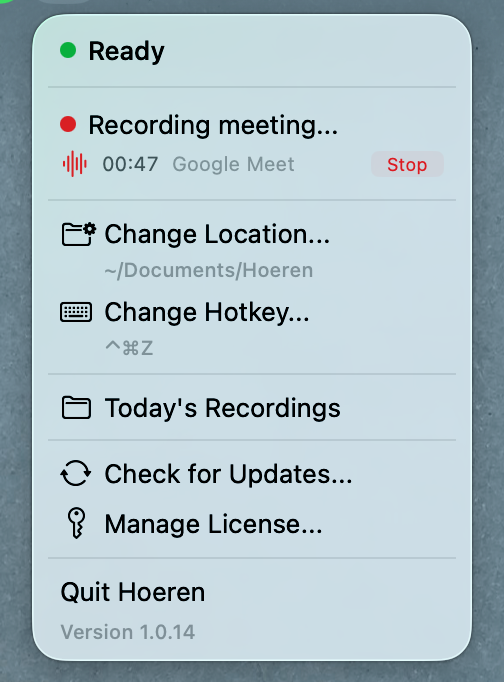
Hoeren menu bar app recording a Google Meet call
100%
On-device processing
0 bytes
Sent to cloud
$49
Once. Forever yours.

Your conversations stay private

Most meeting tools upload your recordings to their servers.
Hoeren processes everything locally on your device.
No audio leaves your Mac. Ever.

What you can do with Hoeren

👥

Speaker Labels

Automatically separates speakers in your transcripts so you can follow who said what.

🔒

Works offline

No internet needed. Everything runs on Apple Silicon, right on your machine.

🔍

Auto-detects meetings

Zoom, Teams, Meet, Slack, Discord, Webex — detected automatically. Asks before recording.

📄

Clean Markdown export

Transcripts and summaries saved as Markdown, organized by date. Easy to search and share.

Hoeren vs. the cloud tools

Hoeren Otter Fireflies
Data stays on device Yes No No
Works offline Yes No No
No account required Yes No No
One-time payment $49 $17/mo $19/mo
Cloud storage None needed Yes Yes

Perfect for:

Developers
Founders
Managers
Remote teams
Consultants
Privacy-conscious professionals
Freelancers

Built for people who care about privacy

“Finally a meeting tool that respects privacy. No cloud, no creepy data collection.”

— Developer, remote team

“I replaced a $200/yr subscription with a one-time purchase. Summaries are just as good.”

— Startup founder

“The push-to-talk dictation alone is worth it. I use it dozens of times a day.”

— Freelance consultant

Buy once. Own forever.

No subscriptions. No recurring fees.

Launch price
$49

$79

one-time payment · lifetime license

  • All features included
  • Free updates
  • 30-day free trial
  • No account needed
Download free trial

No signup. No credit card.

Local taxes may apply depending on your region.

Frequently asked questions

Does it work offline?

Yes. Hoeren uses WhisperKit and Apple Intelligence models that run entirely on Apple Silicon. No internet connection is needed for transcription or summaries.

Does any data leave my device?

No audio or transcript data ever leaves your Mac. The only network requests are for license verification and update checks — no user data is sent.

How much CPU/memory does it use?

Hoeren uses Apple’s Neural Engine on M-series chips, keeping CPU usage minimal. During active transcription, memory usage may reach several gigabytes depending on the model size you choose. The app is idle when not recording.

What are the macOS requirements?

macOS 15 (Sequoia) or later, running on Apple Silicon (M1, M2, M3, or M4). Intel Macs are not supported.

What languages are supported?

Hoeren supports all languages available in the Whisper model — over 90 languages including English, German, Spanish, French, Russian, Japanese, and more. See the full list of supported languages.

Can I try before buying?

Yes. The free trial lasts 30 days with all features unlocked. No account or credit card required.

Try Hoeren free for 30 days

Start transcribing in under a minute.

Download free trial

No signup. No credit card. macOS 15+ · Apple Silicon